
 Devops

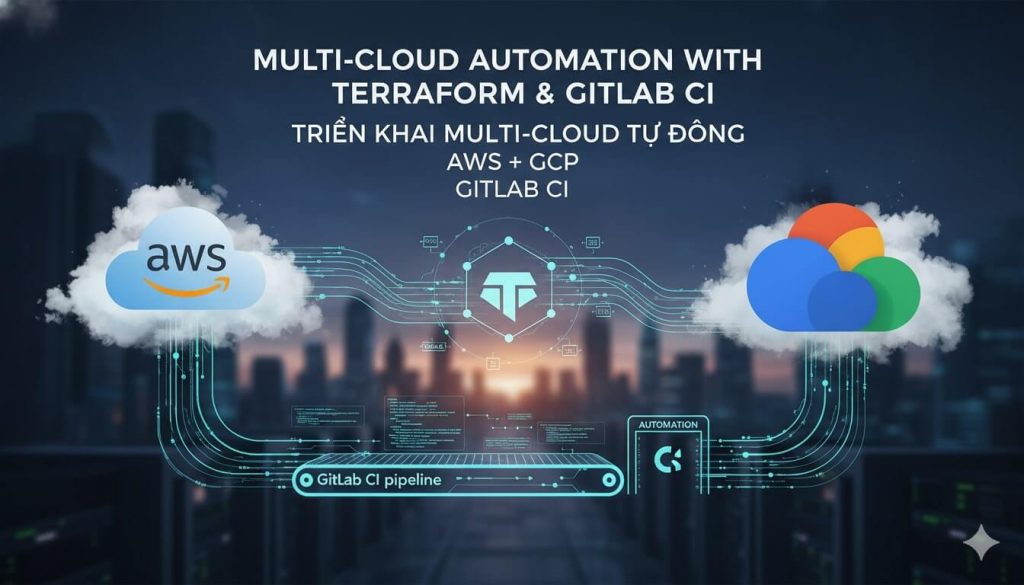
Nếu bạn từng mơ ước về một thế giới nơi việc triển khai hạ tầng multi-cloud cũng dễ dàng như việc order bubble tea qua app, thì hôm nay chúng ta sẽ cùng nhau khám phá cách biến giấc mơ đó thành hiện thực. Với Terraform Modules và GitLab CI, việc quản lý AWS và GCP đồng thời giờ đây không còn là nightmare mà trở thành một trải nghiệm khá thú vị – giống như chơi game strategy vậy!
Tại Sao Multi-Cloud Lại Hot Đến Vậy?
Trước khi đi sâu vào chi tiết kỹ thuật, hãy cùng hiểu tại sao multi-cloud strategy lại trở thành “must-have” trong năm 2024. Theo như nghiên cứu mới nhất, multi-cloud strategies đang trở nên thiết yếu và Terraform đóng vai trò như một siêu anh hùng giúp đơn giản hóa việc quản lý hạ tầng trên nhiều cloud provider khác nhau.
Imagine bạn đang xây một ngôi nhà và thay vì phụ thuộc vào một nhà thầu duy nhất, bạn có thể chọn lựa những ưu điểm tốt nhất từ nhiều nhà thầu khác nhau. AWS có thể cho bạn compute power tuyệt vời, trong khi GCP lại shine với machine learning capabilities. Terraform giúp bạn orchestrate tất cả thành một bản nhạc hài hòa.
Terraform Modules: Building Blocks Thông Minh
Terraform modules giống như những viên Lego thông minh vậy – bạn có thể tái sử dụng chúng để xây dựng những kiến trúc phức tạp mà không cần phải reinvent the wheel mỗi lần. Đây là những best practices quan trọng:
Thiết Kế Module Hiệu Quả
Khi thiết kế modules, hãy nhớ nguyên tắc “Do One Thing Well” – mỗi module nên tập trung vào một chức năng cụ thể. Ví dụ:
- aws-vpc-module: Chỉ lo việc tạo VPC trên AWS
- gcp-network-module: Chuyên tạo VPC network trên GCP
- database-module: Universal module có thể deploy database trên cả hai platforms
Điều quan trọng là phải abstract differences – giấu đi những khác biệt giữa các provider và tạo ra một interface thống nhất. Điều này giống như việc bạn có một remote control universal có thể điều khiển cả TV Samsung lẫn LG mà không cần quan tâm đến brand.
Parameterization và Versioning
Hãy biến modules của bạn thành những “chameleon” linh hoạt bằng cách sử dụng input variables thông minh. Set default values hợp lý nhưng vẫn cho phép override khi cần thiết. Và đừng quên implement semantic versioning – điều này giúp team của bạn track changes và upgrade một cách confident.
variable "environment" {
  description = "Environment name"
  type        = string
  default     = "dev"
}

variable "instance_type" {
  description = "EC2 instance type for AWS"
  type        = string
  default     = "t3.micro"
}

variable "machine_type" {
  description = "Machine type for GCP"
  type        = string
  default     = "e2-micro"
}
GitLab CI: Automation Maestro
GitLab CI pipeline là conductor của dàn nhạc multi-cloud này. Nó automate việc deployment một cách consistent và repeatable, giảm thiểu manual errors và đảm bảo infrastructure stability.
Pipeline Architecture
Một pipeline hiệu quả thường bao gồm các stages cơ bản: init, plan, và apply. Stage plan sẽ generate execution plan, còn stage apply sẽ implement những changes đó.
stages:
  - validate
  - plan
  - apply

variables:
  TF_ROOT: ${CI_PROJECT_DIR}/terraform
  TF_ADDRESS: ${CI_API_V4_URL}/projects/${CI_PROJECT_ID}/terraform/state/production

before_script:
  - cd ${TF_ROOT}
  - terraform --version
  - terraform init

validate:
  stage: validate
  script:
    - terraform validate
    - terraform fmt -check

plan:
  stage: plan
  script:
    - terraform plan -out="planfile"
  artifacts:
    paths:
      - ${TF_ROOT}/planfile

apply:
  stage: apply
  script:
    - terraform apply -input=false "planfile"
  when: manual
  only:
    - main
Multi-Cloud Configuration
Để handle cả AWS và GCP trong cùng một pipeline, bạn cần setup proper authentication và state management. Sử dụng CI/CD variables để store credentials một cách secure:
AWS_ACCESS_KEY_IDvàAWS_SECRET_ACCESS_KEYGOOGLE_CREDENTIALS(service account JSON)
Remote state storage là must-have – store Terraform state trong centralized location như AWS S3 hoặc GCP Cloud Storage để đảm bảo consistency across deployments.
Best Practices cho Multi-Cloud Success
Security First
Implement proper secrets management – đừng bao giờ hardcode credentials trong Terraform files. Sử dụng tools như AWS Secrets Manager hoặc GCP Secret Manager. Enforce Role-Based Access Control (RBAC) và regular audit access permissions.
Monitoring và Testing
Implement comprehensive testing strategy bao gồm unit tests, integration tests, và end-to-end tests trong CI/CD pipeline. Monitor infrastructure changes và conduct code reviews để maintain quality, security, và compliance.
GitOps Workflow
Sử dụng merge requests để review tất cả infrastructure changes và see their impact trước khi apply. Điều này tạo ra một transparent và collaborative workflow.
Real-World Example
Hãy tưởng tượng bạn đang deploy một e-commerce platform với:
- Web servers trên AWS (vì EC2 có cost-effective scaling)
- AI/ML services trên GCP (vì Google AI platform mạnh mẽ)
- Database replication across both clouds cho disaster recovery
Với Terraform modules và GitLab CI, bạn có thể orchestrate toàn bộ architecture này với một merge request duy nhất!
Kết Luận
Multi-cloud deployment với Terraform modules và GitLab CI không còn là rocket science nữa. Với proper planning, modular design, và automation best practices, bạn có thể tạo ra một infrastructure resilient, scalable, và maintainable.
Hãy nhớ: Rome wasn’t built in a day, và multi-cloud architecture cũng vậy. Start small, iterate, và gradually build up complexity. Happy terraforming! 🚀
SEO Keywords: terraform modules, multi-cloud deployment, AWS GCP integration, GitLab CI pipeline, infrastructure as code, terraform best practices, cloud automation, DevOps CI/CD, multi-cloud terraform, infrastructure deployment automation
